
Init Note is an online tool for writing and sharing text content instantly — from personal notes and to-do lists to complex code snippets. Just type or paste your content, hit "Save & share", and you get a link to share with anyone. No account required, no setup needed.
Overview
With Init Note, any piece of text can become a shareable page in seconds. The tool supports syntax highlighting for over 15 popular programming languages — JavaScript, TypeScript, PHP, Python, HTML, CSS, SQL, Bash, Go, Rust, Java, C, C++, JSON, Markdown — with an editor that renders colors as you type.
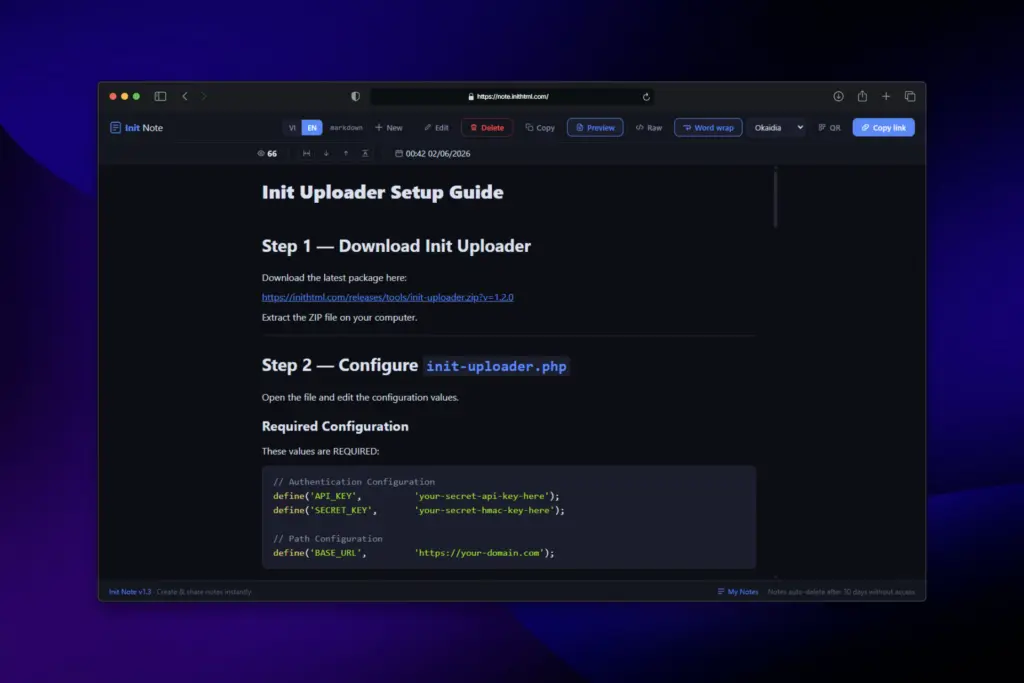
All you need to do:
- Type or paste your content into the editor
- Select a language or let the system auto-detect it
- Optionally enable "Burn after reading" for sensitive or one-time content
- Optionally set a password to protect private content
- Hit "Save & share"
- Share the link with anyone — they can view it instantly, no account needed
Notes are stored securely and automatically deleted after 30 days of inactivity. You can edit or delete at any time using the Edit Key provided when the note is created.
Use Cases
- Developers: Quickly share code snippets, configs, or scripts with teammates via a single link
- Team collaboration: Send instructions, checklists, or meeting notes without opening email or creating a document
- Technical support: Paste error logs or stack traces for debugging — recipients see syntax-highlighted output immediately
- Temporary content: Save information on the go and access it from any device
- Privacy: Use Burn after reading for one-time content, or set a password for long-term private sharing
- Teaching & learning: Share exercises, code examples, or reference materials via a direct link
Key Features
- Syntax highlighting editor: Live color rendering as you write, supporting 15+ languages
- Auto language detection: Paste code and the system automatically identifies and applies the right highlighting
- Instant link sharing: Every note gets its own URL, with a QR Code generated right after saving
- Custom slug: Set a memorable link name of your choice (e.g.
note.inithtml.com/your-name) - Password protection: Lock a note with a password so only those who know it can read it — ideal for long-term private sharing
- Edit Key: Edit or delete your note at any time using a private key
- Burn after reading: Content is automatically deleted after the first view — perfect for sensitive or temporary information
- Word wrap toggle: Enable or disable line wrapping when reading a note, especially useful on mobile
- Note history: Review all notes created on your device via the "My Notes" section
- Bilingual interface: Supports Vietnamese and English, automatically selected based on your browser language
- Works on any device: Responsive design, works great on both desktop and mobile
- Direct image uploads: Drag and drop or paste images into the editor, and the system will automatically insert them into your Markdown content
How to Use
- Go to note.inithtml.com and start typing or pasting your content
- Select a programming language from the list (or let the system auto-detect it)
- Optional: set a custom slug for a more memorable link
- Optional: set a password to restrict who can view the note
- For higher security, enable "Burn after reading"
- Click "Save & share" (or Ctrl+S) — a QR Code will appear instantly in the result window
- Copy the link or scan the QR Code to share — recipients can view it right away
- Save your Edit Key if you want to edit or delete the note later
Why Use Init Note?
- No account registration, no installation
- A real syntax-highlighting editor — not just plain text display
- Auto language detection when pasting code
- Password protection for private long-term sharing
- Burn after reading mode for sensitive content
- QR Code generated automatically — easy to share on mobile
- Share links stay active for 30 days, no login required for recipients
- Minimal dark interface, no distractions
- Custom slugs make links meaningful and easy to remember
Whether you're a developer who needs to share code fast, a professional sending a quick note, or anyone who needs a place to save and share text instantly — Init Note is ready in seconds, with no barriers.