
- Introduction to Init Image Grid Shuffler
- How to use it to create a fanpage minigame
- How to use Init Image Grid Shuffler
- Step 1: Upload an image
- Step 2: Set the number of rows and columns
- Step 3: Customize grid borders
- Step 4: Generate the shuffled image
- Step 5: Download the image
- Step 6: Reveal the answer (optional)
- Creative ideas for fun minigames
- Benefits of using Init Image Grid Shuffler
- Tips to boost engagement
- Conclusion
Introduction to Init Image Grid Shuffler
Init Image Grid Shuffler is a free web-based tool that allows you to split an image into small tiles and shuffle them randomly. It’s especially useful for creating interactive challenges, minigames, or creative engagement posts on your social media page.
How to use it to create a fanpage minigame
You can use Init Image Grid Shuffler to build simple but engaging challenges that drive user engagement. Here’s a quick overview:
- Prepare an image that fits the message or theme you want to promote.
- Open the Init Image Grid Shuffler tool and upload your image.
- Select the number of rows and columns (e.g. 5 rows and 5 columns will create 25 tiles).
- Click “Generate shuffled image” to create a randomized version of the image.
- Download the result and post it on your fanpage with a creative caption or game prompt.
How to use Init Image Grid Shuffler
Step 1: Upload an image
Choose any image you want to turn into a minigame. The tool supports popular formats like JPG, PNG, and WebP. Click the “Choose an image…” input to upload your file from your device.
Step 2: Set the number of rows and columns
Adjust the challenge level by splitting the image into more or fewer tiles. For example, 5 rows × 5 columns gives you 25 tiles. Start with 3×3 for an easier puzzle, or go up to 10×10 for maximum difficulty.
Step 3: Customize grid borders
You can set the border thickness between tiles. A suggested range is 5px to 10px for clear visibility. The tool will automatically choose black or white borders based on the image brightness for optimal contrast.
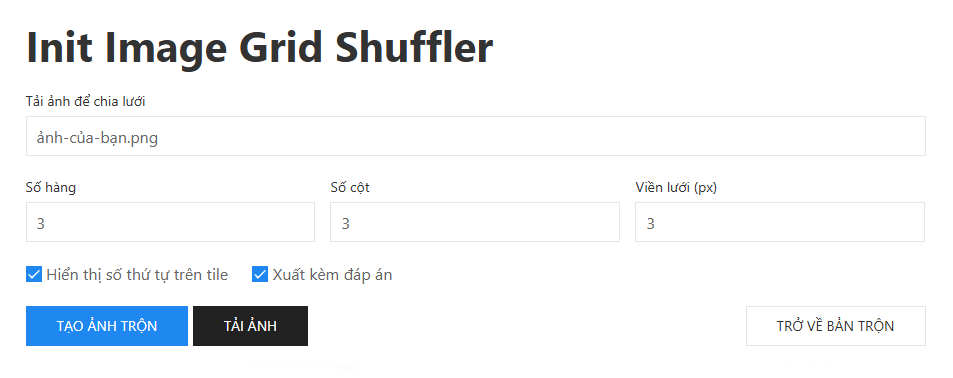
Step 4: Generate the shuffled image
Once your settings are ready, click “Generate shuffled image”. The system will randomly rearrange the tiles and display a preview on the page. You can review the output and adjust settings if needed.
Step 5: Download the image
Click “Download image” to save the shuffled version to your device. You can now post it to your fanpage or use it in any social platform for your challenge.
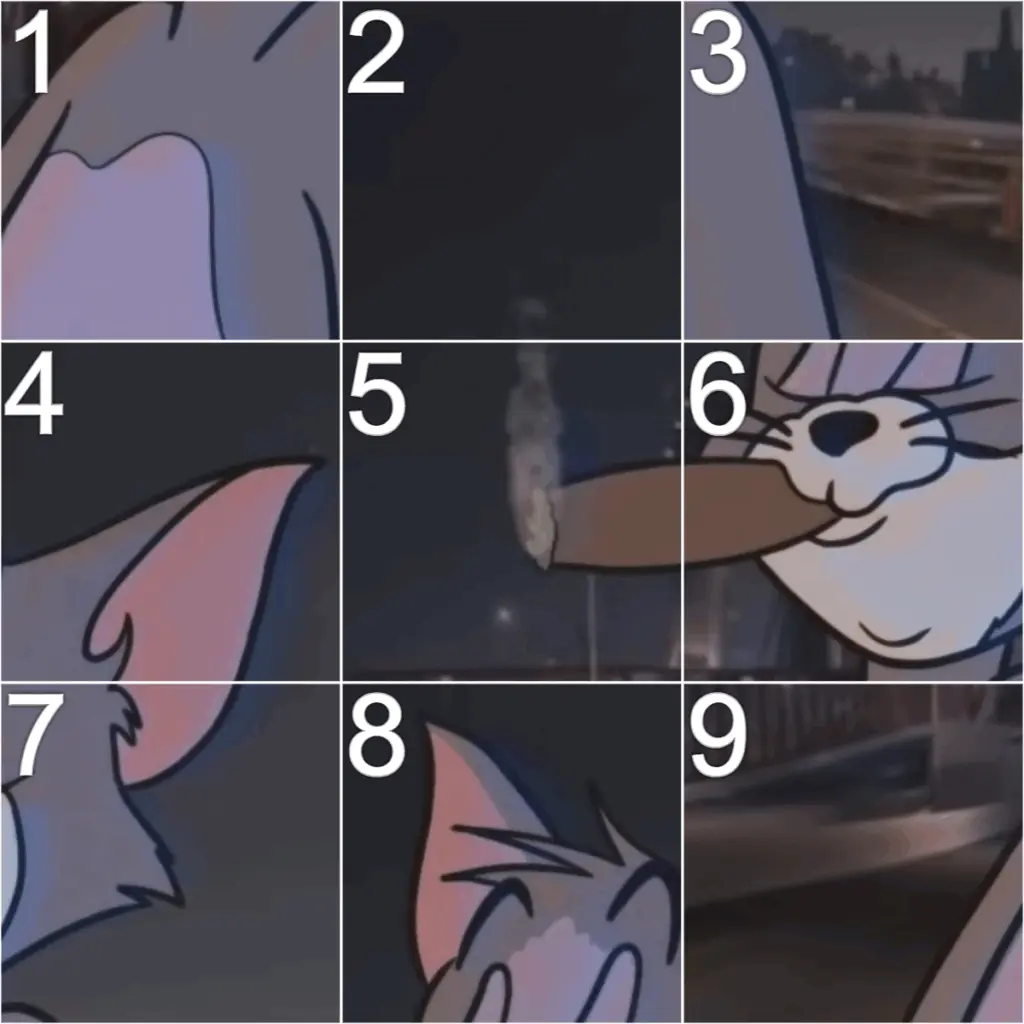
This is an example I just created.
Step 6: Reveal the answer (optional)
If you want to check or save the correct tile order, click the “Show answer” button. The tool will rearrange the image to its original layout with each tile numbered. The answer key will remain unchanged unless you generate a new image.
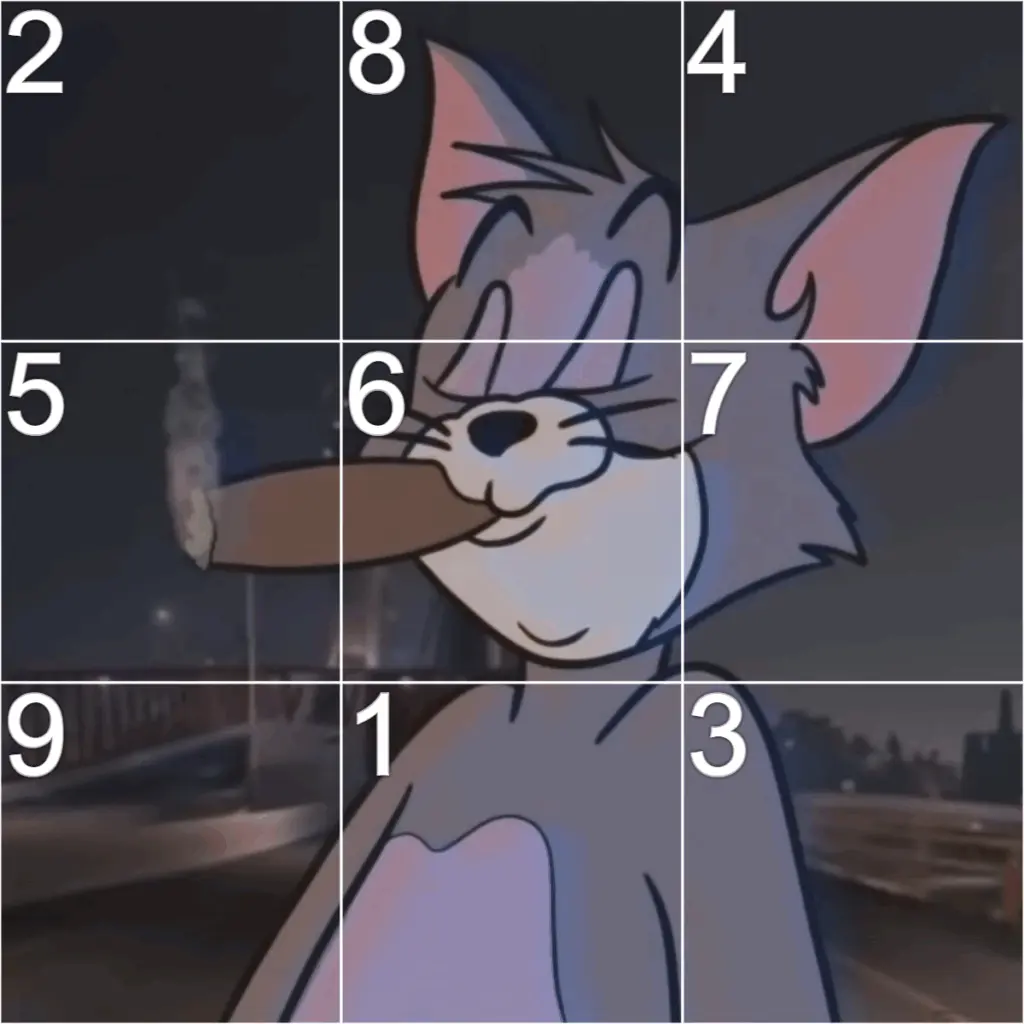
Answer key image.
Creative ideas for fun minigames
- Let players guess the original image from the shuffled version.
- Ask followers to comment the correct tile order (e.g. “3, 7, 1, 5…”).
- Run a time challenge — whoever answers fastest wins a prize.
- Encourage tagging friends to participate and increase reach.
Benefits of using Init Image Grid Shuffler
- No need to install software or use complex design tools.
- Simple interface, runs directly in the browser.
- Auto-detects image brightness to choose the best border color.
- Optionally includes an answer key for easy review or reveal.
Tips to boost engagement
- Choose intriguing images that spark curiosity.
- Set a time limit to create urgency and excitement.
- Pin the best or fastest answers to the top of the post.
- Combine with giveaways to encourage sharing and participation.
Conclusion
Init Image Grid Shuffler is a lightweight yet powerful tool for creating interactive, visual-based games on your fanpage. If you’re looking for a creative way to boost engagement, grow your community, or just have some fun with your audience — this tool is worth a try.







Comments