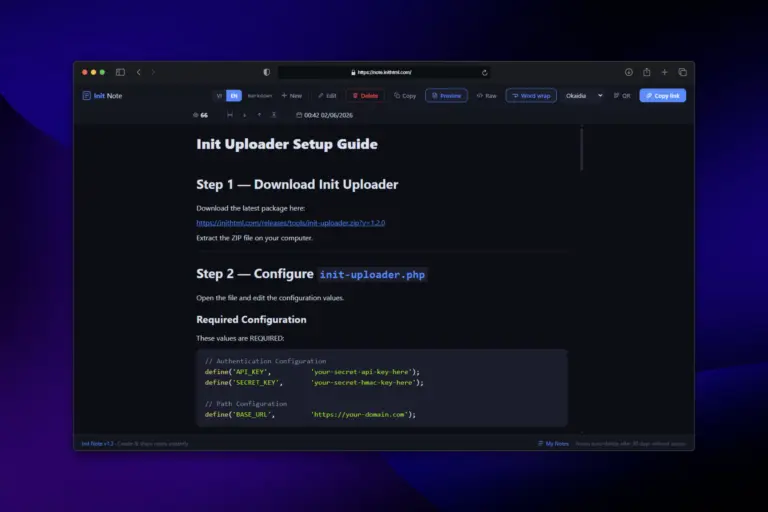
This is not a tool for storing your entire document library. It is a place where you open, type, hit save, and get a shareable link instantly. No account registration, no email verification, no software installation. Just your browser and a few seconds.
The User Experience: Light as Scratching on a Notepad
When you open Init Note, you see a clean interface with no cluttered buttons. It feels like opening a blank sheet of paper — except this paper understands code. Whether you are writing JavaScript, Python, PHP, or plain Markdown notes, syntax highlighting kicks in automatically, saving your eyes when you read it back.
One feature developers particularly love is the ability to paste images directly into Markdown with Ctrl+V. No third-party hosting, no manual link copying and inserting. Images embed automatically into your content, ready to share right away.
Share Without the Worry
A highly appreciated feature is the burn-after-reading mode. You can create a note containing sensitive information — a temporary password, an API token, or content meant for one-time viewing — and rest assured it disappears after the recipient opens it. No traces, no leftover storage.
Additionally, you can password-protect any note. Even if the link gets leaked, anyone without the password only sees a locked door, not the content inside.
Local History — Your Notes, Yours Alone
Unlike many services that demand login to revisit created content, Init Note keeps your note history right in your browser. Open it and see a list of notes you have created or viewed, complete with programming language and timestamps. No one else can access this list, not even the site owner — because the data lives on your machine, not on a centralized cloud account.
Designed for Pragmatic People
The interface supports both Vietnamese and English, auto-detecting from your browser settings. Users can customize font size, reading width, and even code highlight themes to personal preference. These small details create a comfortable experience when you have to read through long code blocks or complex technical documents.
Especially in view mode, you can switch between rendered Markdown and raw source with a single click. Convenient when you need to copy the original or view a beautifully formatted presentation.
When Should You Use Init Note?
- Send error logs to a teammate without flooding the chat channel.
- Write quick tutorials with code snippets and illustrative images.
- Save an important script to access from another machine without USB or email.
- Share sensitive information with burn-after-reading for guaranteed safety.
- Simply need a place to type without distractions from notifications, emails, or social media.
Bottom Line
Init Note does not try to replace Notion, Obsidian, or Google Docs. It only wants to do one thing really well: help you write and share as fast as possible. No complexity, no lock-in, no data harvesting. Just you, your content, and a link to share with the world.
Try Init Note today — open your browser, type a few lines, and you will understand why so many developers choose it as their first go-to tool whenever they need to share an idea.










Comments