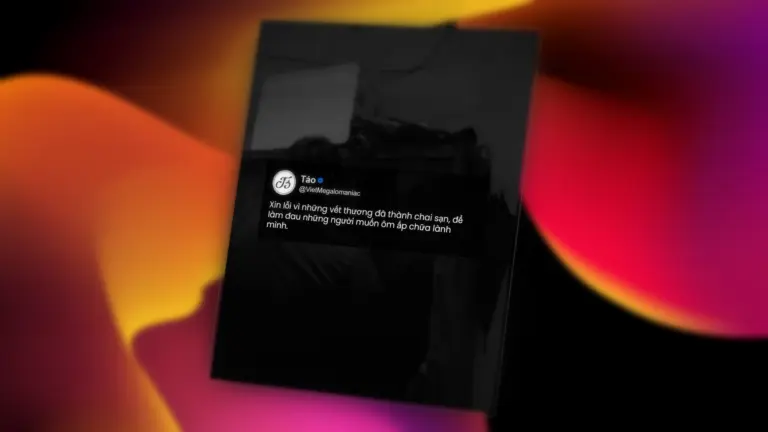
What is the preset library?
The “preset library” is a collection of styles exported from Init Quote Studio — including layout, text position, colors, fonts, and more. Everything is packed into a JSON file that can be reused at any time.
Users can visit the preset gallery to explore dozens of shared quote styles from the community, each with preview images and one-click download. Simply download and import them into Init Quote Studio instantly.
How to download and use a preset
- Go to the community preset gallery.
- Pick a style you like and click Download.
- Open Init Quote Studio.
- Click the Import JSON button, choose the file you downloaded, and upload it.
- The preset will be added to your list instantly. You can then adjust the content and export your final image as usual.
How to submit your own preset
Have you crafted a quote style you’re proud of? Share it with the community!
Just follow these steps:
- In Init Quote Studio, click the Export JSON button.
- Take a screenshot or download a PNG of your quote as a preview image.
- Go to the Submit Preset page.
- Fill in the title, description, upload the preview image and your JSON file.
- Click Submit Preset — done!
No account needed, no login required — it’s completely free and open to everyone.
Review guidelines
Each submitted preset will be reviewed for structure and visual quality. Admins will manually approve presets before they go live to ensure high standards:
- Clear layout with proper display on all devices
- Preview image accurately represents the style
- No offensive content or policy violations
Why contribute presets?
- Help the community grow with more creative and beautiful styles
- Get credited as the author (use real name or alias)
- Leave your design signature and spread your unique aesthetic
- Future features may include ranking, recommendations, and more visibility for top presets
Final thoughts
The community preset system marks a big step in turning Init Quote Studio into a fully open quote creation platform — where users don’t just create but also share, reuse, and build together. Start contributing your presets today and discover fresh ideas from the community.






Comments