
Enable Author Mode
Author Mode is an optional setting in Init Manga. Once enabled, any logged-in user can choose to become an author. After confirmation, their account is permanently upgraded to the manga_author role and cannot be reverted.
This is the ideal setup for platforms that encourage user-generated content, allowing members to create and publish original series independently.
Meet Inkstone – The Author Dashboard
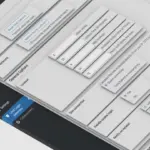
Inkstone is a dedicated author dashboard available via a page using the template-inkstone.php. Once a user becomes an author, they gain full access to a professional suite of tools to manage their content:
- View and manage their list of created artworks
- Create new artworks with a modern form (title, description, cover, tags, genres,…)
- Manage chapters: create, edit, delete, schedule release time, set unlock options
- Upload images directly into chapters (if allowed)
All interactions happen within a mobile-friendly, intuitive interface built on UIkit for a clean and responsive user experience.
Advanced Publishing Controls
Init Manga 1.1.0 gives you full control over the publishing workflow through several key settings:
Require Artwork Approval
With the Require Artwork Approval option enabled, all newly created artworks will be marked as pending. An admin or editor must manually review and approve them before they become visible to the public. This ensures high content quality and moderation control.
Allow or Restrict Chapter Image Uploads
You can choose to disable image uploads in the chapter editor by turning off the Allow Chapter Image Uploads setting. This completely hides the upload UI and blocks file uploads at the API level.
Reward Authors When Chapters Are Unlocked
When integrated with Init User Engine, the Reward Authors When Chapters Are Unlocked feature lets authors earn coins or cash every time a reader unlocks a paid chapter. This creates a foundation for revenue-sharing models directly on your site.
How Users Become Authors
When a logged-in user accesses the Inkstone page for the first time, they’ll see an option to “Become an Author”. After confirming, their role is upgraded and they immediately gain access to the full author dashboard. This is a one-way process that cannot be undone, keeping user roles clean and consistent.
The Future of Inkstone
Inkstone will continue to evolve in future releases to become a complete creative studio for your users. Upcoming features include:
- View all comments from readers on their own artworks
- Analyze reviews and rating scores per artwork, with multi-criteria support if enabled
- Filter artworks by status: draft, pending, published
These improvements will help authors understand reader feedback, monitor performance, and manage their content with greater precision.
Conclusion
Author Mode and Inkstone are more than just features — they represent a shift in how platforms can empower creators. If you’re building a website that enables users to publish their own manga, web novels, or other original works, Init Manga 1.1.0 gives you the tools to make that vision a reality.









Comments