This guide explains how to use JavaScript events to modify result items dynamically, without changing the core plugin code.
1. Each Result Comes with data-type and data-category
When Init Live Search renders a result item, it automatically includes:
data-type: post, product, review, page, etc.data-category: the category name, if applicable
You can use these attributes to change the appearance based on content type.
2. Hook into the ils:results-loaded Event
The ils:results-loaded event is triggered once results are fully rendered — this is the perfect point to update the DOM.
Here’s a sample code snippet:
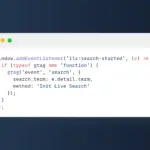
window.addEventListener('ils:results-loaded', () => {
  const items = document.querySelectorAll('.ils-item');

  items.forEach(item => {
    const type = item.getAttribute('data-type');

    if (type === 'product') {
      item.classList.add('ils-type-product');
      const badge = document.createElement('span');
      badge.textContent = 'Product';
      badge.className = 'ils-custom-badge';
      item.querySelector('.ils-title')?.prepend(badge);
    }

    if (type === 'review') {
      item.classList.add('ils-type-review');
      item.style.backgroundColor = '#f0f8ff';
    }

    if (type === 'page') {
      item.classList.add('ils-type-page');
      const thumb = item.querySelector('.ils-thumb img');
      if (thumb) {
        thumb.style.filter = 'grayscale(1)';
      }
    }
  });
});
You can apply different backgrounds, add badges, or show/hide elements based on type.
3. Add CSS Classes for Styling
Based on the JavaScript logic above, you can add CSS to style each type:
.ils-type-product .ils-title {
  color: #d32f2f;
}

.ils-type-review {
  border-left: 4px solid #2196f3;
}

.ils-custom-badge {
  background: #eee;
  color: #333;
  font-size: 11px;
  padding: 2px 6px;
  margin-right: 5px;
  border-radius: 3px;
}
4. UI That Reflects the Content
With this approach, your search UI becomes content-aware. For example:
- WooCommerce products get a red accent and cart icon
- About pages display in grayscale
- Reviews are highlighted with a light blue background
All logic runs on the frontend — no backend changes required, keeping updates safe and smooth.
Conclusion
Init Live Search provides a powerful event system that lets you fully control the search UI. By hooking into ils:results-loaded, you can tailor how each item looks based on its type — giving users a consistent and engaging search experience without modifying the plugin’s core.







Comments