This update mechanism relies entirely on WordPress’s native theme update system, ensuring a familiar, safe, and streamlined upgrade experience.
Requirements Before Updating
Init Press is a free WordPress theme and does not require any license activation. To use automatic updates, you only need a properly functioning WordPress installation and a stable internet connection.
- The Init Press theme must be installed and activated.
- Your WordPress site must be able to connect externally (no firewall or hosting restrictions blocking updates).
- Direct modifications to theme files should be avoided (use a child theme for customization).
How to Check for and Install Updates
When a new version of Init Press is available, WordPress will display a notice such as “A new version is available. Update now.” on the Appearance → Themes screen.
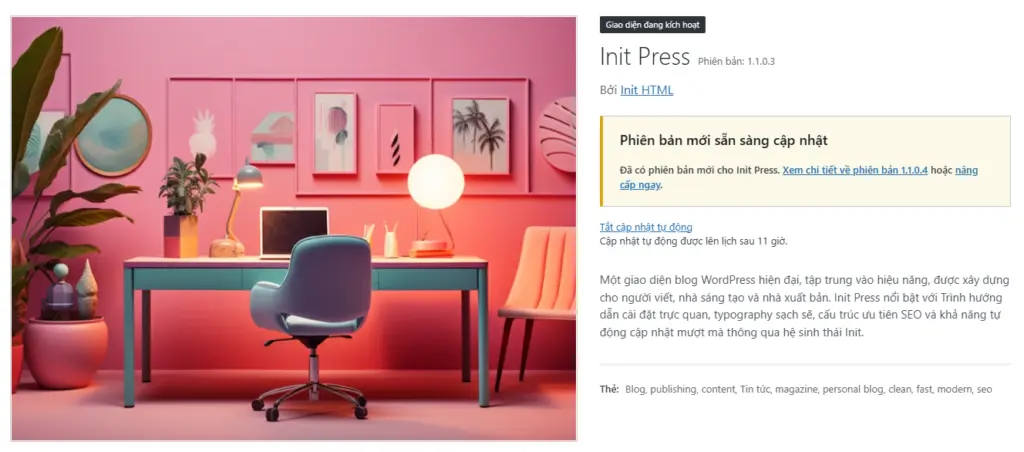
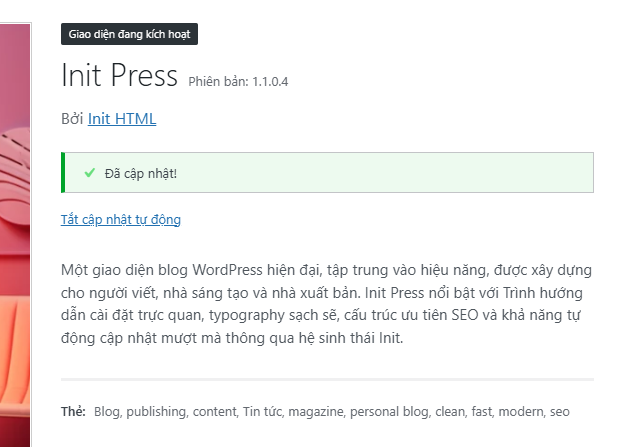
Simply click Update now, and WordPress will automatically download and install the latest version of Init Press without affecting your site content.
If you have enabled automatic updates for themes, WordPress will handle the update process automatically whenever a new release is published.
Notes on Customizations
If you modify Init Press theme files directly, those changes will be overwritten during updates. To keep your customizations safe, it is strongly recommended to use a child theme for any layout or functional changes.
Cache-Related Notes
In some cases, you may not see the latest version immediately due to caching from WordPress, your hosting provider, or your browser. If this happens, you can try the following:
- Clear your browser cache.
- Clear server-side or plugin-based caches, if applicable.
- Wait for WordPress to perform its scheduled update check.
Update History
Details about recent releases can be found in the theme’s changelog. Each version clearly documents new features, improvements, and fixes so you can track the evolution of Init Press over time.
Conclusion
The automatic update system allows Init Press to stay up to date without interrupting your writing or publishing workflow. With update support available from version 1.0.0, Init Press ensures you consistently receive performance improvements, stability updates, and new features—fully aligned with WordPress standards.










Comments