Interface and Behavior Settings
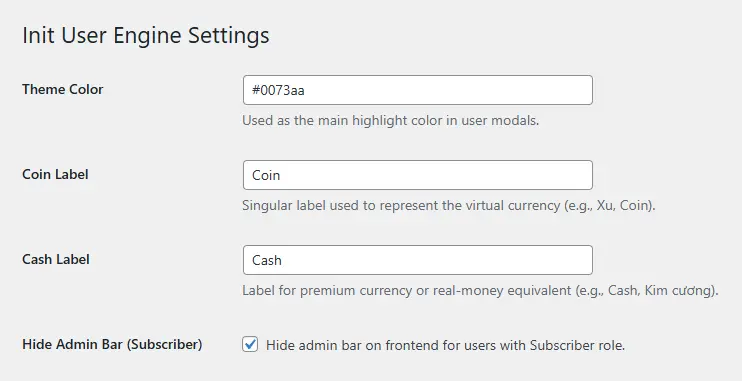
Primary Color: Customize the highlight color used in user modals. The color must be in hex format (e.g., #0073aa).
Hide Admin Bar: Optionally hide the WordPress admin bar on the frontend for users with the Subscriber role.
Currency Labels: Change the default labels for Coin and Cash to suit your site’s theme (e.g., “Xu”, “Diamonds”).
Custom Links
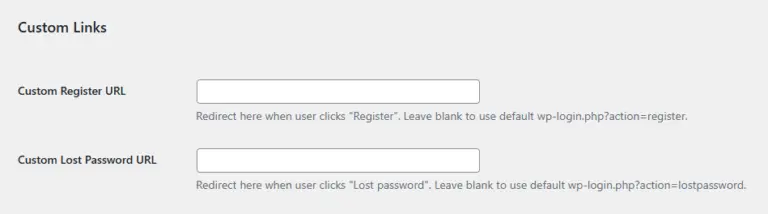
Custom Register URL: Define a custom registration page URL. If left blank, the plugin will default to WordPress’s standard registration link.
Custom Lost Password URL: Similar to the register link, you can redirect the “Lost Password” button to a custom page.
Daily Check-in Rewards
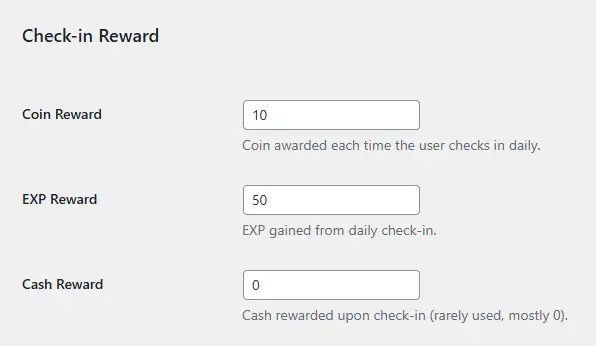
Users receive rewards when checking in daily. You can configure the following values:
- Coin reward
- EXP reward
- Cash reward (optional)
Online Activity Rewards
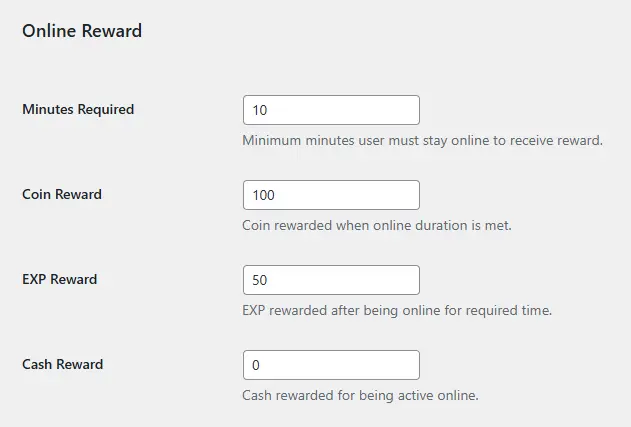
You can reward users for staying online for a minimum amount of time. Configurable fields include:
- Minimum duration (in minutes)
- Coin reward
- EXP reward
- Cash reward
VIP Pricing by Coin
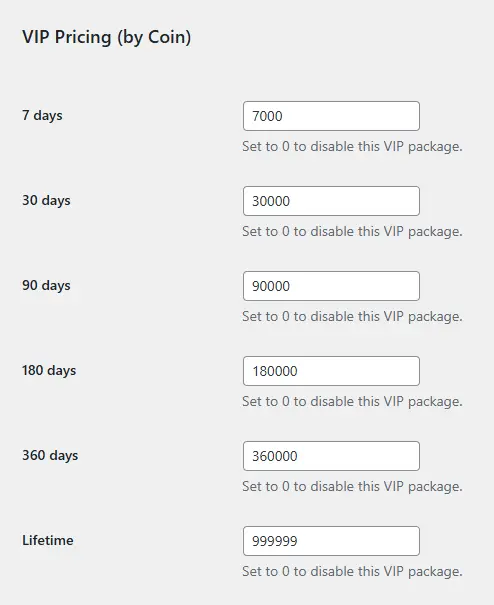
The plugin supports 6 VIP tiers based on duration:
- 7 days
- 30 days
- 90 days
- 180 days
- 360 days
- Lifetime
You can set the Coin price for each package. Enter 0 to disable a specific VIP tier.
VIP Bonus Rewards
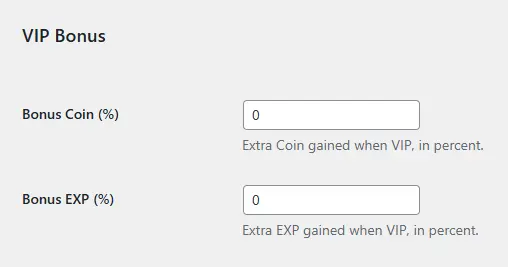
VIP users can receive extra rewards. You can set the percentage bonuses for:
- Additional Coin
- Additional EXP
Referral Rewards
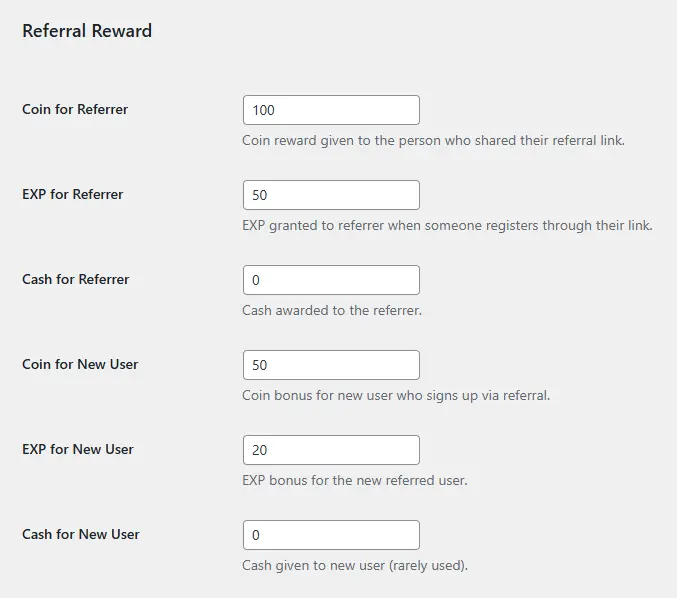
The referral system allows users to invite others using a unique link. Both the referrer and the new user can earn rewards. Configurable options include:
Rewards for Referrer:
- Coin
- EXP
- Cash
Rewards for Referred User:
- Coin upon signup
- EXP upon signup
- Cash upon signup
Sending Notifications to Members
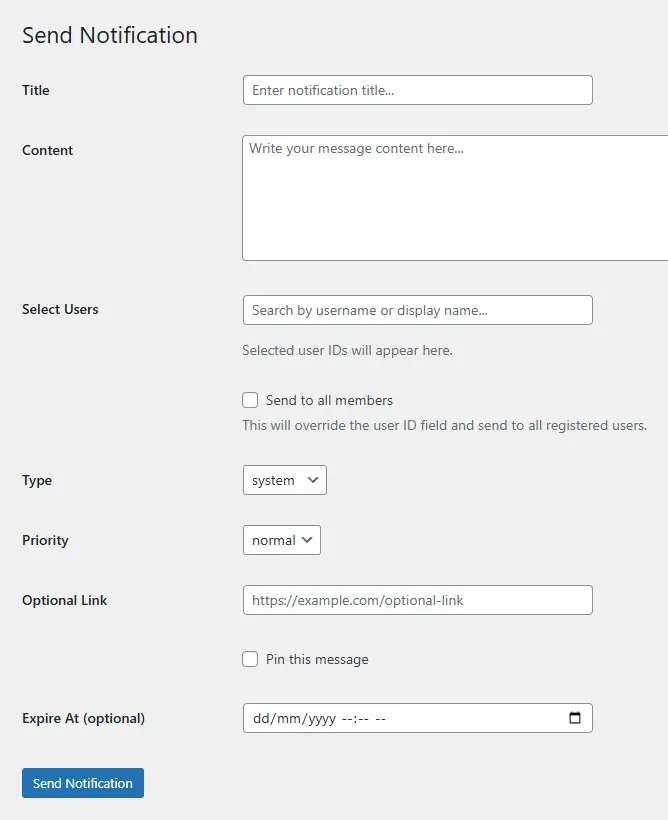
From the “Send Notification” menu in the admin panel, you can broadcast messages directly to one or multiple users through the plugin’s built-in inbox system. These messages are shown in the user dashboard upon login.
This feature is ideal for:
- Manual rewards
- Event announcements
- User warnings
- Engagement reminders
Technical Notes
All configurations are securely stored using WordPress’s native settings API. Changes are applied immediately without needing to reload or reset the plugin.
For most use cases, the default settings work well out of the box. You can fine-tune them later as your needs evolve.
Conclusion
Init User Engine is a powerful plugin that transforms your WordPress membership system into a dynamic and rewarding environment. By fully configuring the settings above, you’ll unlock the full potential of its gamification features and encourage user engagement on your website.










Comments