
- Why Every WordPress Website Needs a Solid Security Layer
- A Brief History: From Better WP Security to Kadence Security
- Key Features of Kadence Security
- Multi-Layer Brute Force Protection
- Two-Factor Authentication (2FA)
- Strong Password Enforcement
- Hide the Login URL
- File Change Detection
- Patchstack Integration (Pro Version)
- Security Templates by Website Type
- Real-Time Security Dashboard
- Additional Advanced Security Tools
- Kadence Security Basic vs Pro Comparison
- Installation and Basic Setup Guide
- Conclusion
Why Every WordPress Website Needs a Solid Security Layer
An average of 30,000 websites are attacked every single day. WordPress powers a significant portion of the web, making it a prime target for attackers. Common threats include brute force login attempts, vulnerable plugins, outdated themes, and weak passwords. Many site owners do not realize their website is under attack until it is too late.
Kadence Security was built to address these exact vulnerabilities. The plugin does not just detect and block automated attacks; it hardens your system from the ground up, giving you proactive control over your site’s security rather than forcing you to react after a breach.
A Brief History: From Better WP Security to Kadence Security
This plugin has a notable evolution history in the WordPress community:
- Better WP Security: The original version focused on foundational security measures such as changing the login URL, brute force lockouts, and database backups.
- iThemes Security: After being acquired and developed by iThemes, the plugin became a comprehensive security solution offering over 30 different ways to protect a website.
- Solid Security: A transitional phase when the iThemes brand restructured and rebranded under SolidWP.
- Kadence Security: The current name, inheriting the entire robust technical foundation while adding modern features such as Patchstack integration, passwordless login, and a real-time security dashboard.
Key Features of Kadence Security
Multi-Layer Brute Force Protection
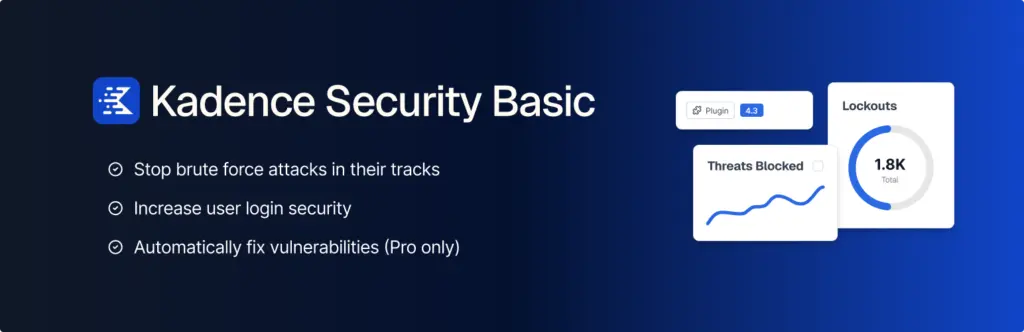
Kadence Security operates two layers of brute force defense. Local Brute Force Protection automatically locks out IP addresses after repeated failed login attempts. Network Brute Force Protection connects nearly one million websites in the Kadence Security community, meaning if an IP has attacked another site in the network, it is instantly blocked on yours as well.
Two-Factor Authentication (2FA)
The plugin supports two-factor authentication even in the free version, allowing users to log in with a password combined with a security code from apps like Google Authenticator or Authy. This is a feature often reserved for premium plugins.
Strong Password Enforcement
You can set up and enforce password policies for all users in just a few clicks. This is especially critical for websites with multiple authors, members, or customer accounts.
Hide the Login URL
Instead of using the default wp-login.php path, Kadence Security lets you change the login URL to a custom address. This makes it significantly harder for bots to locate and attack your login page.
File Change Detection
The plugin logs every change made to your files and database, helping you detect suspicious activity as it happens. Combined with the Site Scanner that automatically checks for vulnerabilities in WordPress core, plugins, and themes, you always know your current security status.
Patchstack Integration (Pro Version)
The standout feature of Kadence Security Pro is its ability to apply virtual patches through Patchstack. Instead of waiting for plugin or theme developers to release an official patch, Patchstack blocks exploit traffic immediately, minimizing your attack window to virtually nothing.
Security Templates by Website Type
Kadence Security provides six security configuration templates optimized for different website types: eCommerce, community network, nonprofit, blog, portfolio, and brochure business sites. Each template automatically enables the most appropriate security settings, allowing even non-technical users to secure their site in under ten minutes.
Real-Time Security Dashboard
The Pro version delivers a centralized dashboard displaying all your website’s security activity. Here you can monitor blocked brute force attacks, banned IP addresses, vulnerability scan results, and user security statistics. The intuitive interface makes security monitoring simpler than ever before.
Additional Advanced Security Tools
- Enforce SSL/TLS: Forces all connections to your website to use encrypted protocols.
- Change Database Prefix: Replaces the default
wp_prefix with a custom string to deter targeted SQL injection attacks. - Change User ID 1: Removes the default administrator account with ID 1, a common target for hackers.
- Automated Database Backups: Schedules database backups and emails them to you, enabling quick recovery after an incident.
- Rotate WordPress Salts: Automatically refreshes security keys used to protect cookies after a successful breach.
- Version Management: Automatically updates WordPress core, plugins, and themes when security patches become available.
Kadence Security Basic vs Pro Comparison
| Feature | Basic (Free) | Pro (Paid) |
|---|---|---|
| Local and Network Brute Force Protection | Yes | Yes |
| Two-Factor Authentication (2FA) | Yes | Yes |
| Hide Login URL | Yes | Yes |
| Password Policies | Yes | Yes |
| File Change Detection | Yes | Yes |
| Vulnerability Scanning (4x daily) | Yes | Yes (hourly) |
| Patchstack Virtual Patching | No | Yes |
| reCAPTCHA | No | Yes |
| Passwordless Login | No | Yes |
| Trusted Devices | No | Yes |
| Detailed User Logging | No | Yes |
| Real-Time Security Dashboard | No | Yes |
| Automatic Version Management | No | Yes |
Installation and Basic Setup Guide
Installing Kadence Security takes place entirely within the WordPress admin dashboard. After activation, the plugin guides you through a step-by-step setup wizard. You only need to answer a few questions about your website type and user groups, and Kadence Security will automatically apply the most suitable security settings.
Important note: Before enabling advanced features such as changing the database prefix, renaming the wp-content directory, or forcing SSL, make sure you have a full website backup. Although these features are thoroughly tested, they can still conflict with certain custom server configurations.
Conclusion
Kadence Security is a comprehensive WordPress security choice suitable for both beginners and professional developers. From its early days as Better WP Security, through the iThemes Security and Solid Security eras, the plugin has proven its reliability across millions of active websites. The free version alone provides essential features like 2FA, brute force protection, and login URL hiding, making Kadence Security the first security plugin you should install on any WordPress site.
If you operate an eCommerce store, membership platform, or any site handling sensitive data, upgrading to the Pro version for Patchstack virtual patching and the real-time security dashboard is a smart and necessary security investment.










Comments