
- Introduction
- 1. Classic Editor (optional)
- 2. Modern Image Formats
- 3. Nextend Social Login
- 4. Edit Author Slug (optional)
- 5. Loco Translate (optional)
- 6. The SEO Framework
- Alternative Suggestions
- 7. Antispam Bee (optional)
- 8. Solid Security Basic (optional)
- Alternative Suggestions
- 9. XML Sitemap Generator for Google (optional)
- 10. W3 Total Cache
- Suggested CSS files to combine
- Suggested JS files to combine
- Download Sample Configuration File
- Alternative Suggestions
- 11. Redis Object Cache
- 12. Code Snippets (optional)
- Alternative Suggestions
- 13. WooCommerce (optional)
- 14. WP Mail SMTP
- Alternative Suggestions
- 15. Simple CAPTCHA Alternative with Cloudflare Turnstile
- Conclusion
Introduction
Init Manga is a specialized theme designed for manga reading websites. In addition to the Init Plugin Suite, which is optimized specifically for the theme, you can also install third-party plugins to further enhance performance, security, SEO, and user experience.
This article introduces the recommended plugins to use alongside Init Manga.
1. Classic Editor (optional)
This plugin restores the classic WordPress editor instead of using Gutenberg. It’s a good option if you’re familiar with the old interface or prefer a simpler content editing experience.
While not mandatory, Classic Editor is still a convenient choice for admins who favor a traditional workflow.
2. Modern Image Formats
This plugin automatically converts uploaded images to WebP or AVIF formats—modern image formats that maintain quality with significantly smaller file sizes.
For manga websites with many cover images and previews, using these formats helps improve load speed and overall performance.
3. Nextend Social Login

Allows users to log in using their social media accounts (Google, Facebook, etc.). Init Plugin Suite includes optimized support for this plugin by disabling unnecessary scripts for logged-in users.
This greatly improves the login experience and encourages faster user registration.
4. Edit Author Slug (optional)
This plugin allows you to customize the structure of author page URLs, including the ability to change slugs based on user roles.
For example: you can set /author/ for roles like Contributor, Author, Manga Author, Editor; and /member/ for Subscribers. This helps clearly distinguish between different user types on your website and creates a more SEO-friendly URL structure.
Note: When setting up custom slugs, make sure they don’t conflict with existing slugs (such as page slugs, post types, etc.) to avoid routing issues.
5. Loco Translate (optional)

This plugin allows you to translate both themes and plugins directly inside WordPress. With Init Manga, you can use Loco Translate to edit specific strings or translate the entire website into any language (for example: Filipino, Thai, Japanese, etc.).
The advantage is that it works not only with Init Manga but also with other plugins you install. This makes it a flexible solution to fully customize your website’s language display without manually editing core files.
6. The SEO Framework
One of the lightest and most effective SEO plugins available. It automatically generates meta titles, descriptions, Open Graph tags, and schema markup for search engines.
Unlike Yoast SEO or Rank Math, this plugin runs efficiently without heavy UI or ads, making it ideal for speed-focused websites.
Alternative Suggestions
- Yoast SEO — long-standing plugin with content analysis, breadcrumbs, and basic schema.
- Rank Math — lightweight, with many SEO features.
- SEOPress — minimal and fast, no unnecessary ads.
7. Antispam Bee (optional)
A lightweight and free anti-spam plugin for managing comment spam effectively. It’s recommended if your site allows comments from non-logged-in users.
If comments are restricted to registered users only, this plugin may not be necessary.
8. Solid Security Basic (optional)
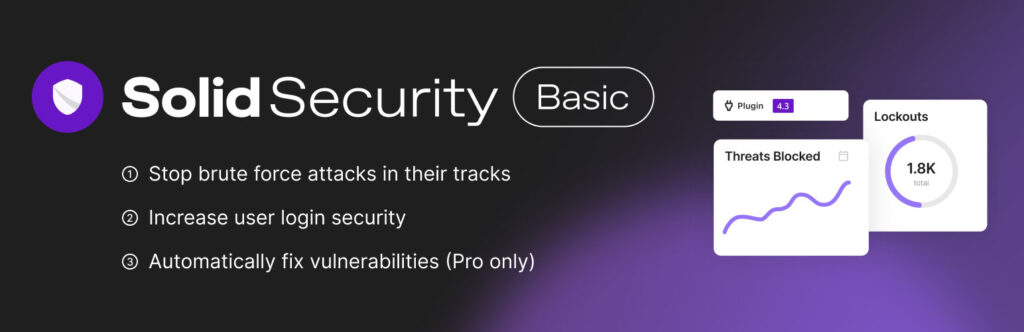
This plugin enhances your WordPress site’s security. Features include login protection, file change monitoring, IP blocking, and hiding the login page.
It’s beginner-friendly and provides a solid layer of protection without requiring advanced technical skills.
Alternative Suggestions
- Wordfence Security — powerful firewall and malware scanning.
- Shield Security — lightweight, focused on automatic protection.
9. XML Sitemap Generator for Google (optional)
If you prefer more granular control over your sitemap structure, this plugin is an excellent choice. It supports image sitemaps, custom taxonomies, and advanced configuration options that standard SEO plugins don’t offer.
Starting from Init Manga v1.8.1, the theme integrates seamlessly with this plugin by generating a dedicated Chapter Sitemap for manga chapters. Each chapter is included with a clean SEO-friendly URL and automatically added to the sitemap index — no extra configuration needed. This improves chapter indexing speed and visibility on Google.
10. W3 Total Cache
One of the most powerful free caching plugins. It not only creates static page cache but also supports file minification and combination for CSS and JS.
Below are recommended files to combine for optimal performance when using Init Manga and Init Plugin Suite:
Suggested CSS files to combine
- wp-content/plugins/init-embed-posts/assets/css/style.css
- wp-content/plugins/init-live-search/assets/css/style.css
- wp-content/plugins/init-view-count/assets/css/style.css
- wp-content/plugins/init-review-system/assets/css/style.css
- wp-content/themes/init-manga/style.css
Suggested JS files to combine
wp-content/themes/init-manga/assets/uikit/js/uikit-icons.min.js- wp-content/themes/init-manga/assets/js/main.min.js
- wp-content/plugins/init-live-search/assets/js/script.js
- wp-content/plugins/init-fx-engine/assets/js/canvas-confetti.min.js
- wp-content/plugins/init-fx-engine/assets/js/fx-engine.js
Note 1: After combining files, be sure to test your frontend thoroughly to ensure no visual or functional issues occur due to script conflicts.
Note 2: Init Manga is a highly interactive theme, therefore caching for logged-in users is not compatible and should be disabled.
Download Sample Configuration File
You can use the Import / Export Settings feature in W3 Total Cache to download the sample configuration file here, then import it directly to apply the optimized settings without manual adjustments.
Alternative Suggestions
- LiteSpeed Cache — highly optimized when using LiteSpeed/OpenLiteSpeed servers.
- Cache Enabler — very lightweight cache plugin, supports WebP.
- Autoptimize — focused on CSS/JS/HTML optimization and lazy-load.
- FlyingPress (premium) — excellent for TTFB/LCP, smart preload and lazy-load.
11. Redis Object Cache

This plugin significantly boosts database query performance by storing the object cache in Redis — essential for manga/comic websites with high traffic and repeated queries. Installing Redis Object Cache is mandatory to achieve maximum performance.
Note: Do not rely on the built-in Object Cache features from W3 Total Cache or LiteSpeed Cache. Their object cache implementations are not as efficient as using the dedicated Redis Object Cache plugin. This plugin works independently, remains stable, and is fully compatible with other caching systems.
12. Code Snippets (optional)
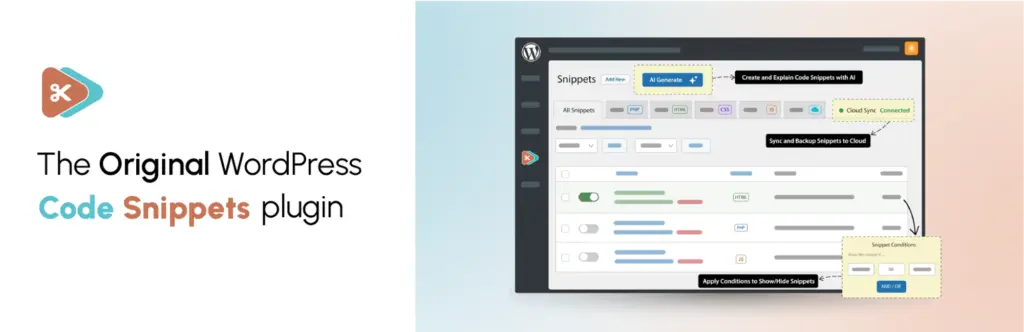
This plugin allows you to insert and manage small PHP code snippets directly in WordPress without editing the theme’s functions.php file. It is especially useful if you want to add a few custom tweaks for Init Manga (for example: filters, hooks, or your own optimization code) without touching the original files.
Thanks to this approach, your customizations will remain intact even after updating the theme or plugins.
Alternative Suggestions
- WPCode — manage snippets, header/footer scripts in a clean interface.
- Advanced Scripts — advanced support for PHP/JS/CSS with conditions and priority.
13. WooCommerce (optional)
WooCommerce is the most popular eCommerce plugin for WordPress. Init Manga comes with built-in support for WooCommerce, especially with the feature of automatically crediting Coin/Cash to users once an order has been successfully processed.
In addition, you can also set up a store to sell real products (for example: merchandise, figures, t-shirts) directly on your website without the need for complex custom coding.
14. WP Mail SMTP
This plugin improves the reliability of sending emails from WordPress by configuring SMTP instead of relying on the default PHP mail function.
With WP Mail SMTP, emails sent from your website (such as registration confirmations, order notifications, or password resets) are more likely to be delivered successfully and avoid the spam folder.
Alternative Suggestions
- Post SMTP — detailed debugging and logging features.
- FluentSMTP — free, supports multiple providers like Amazon SES, SendGrid, etc.
- Easy WP SMTP — minimal and straightforward configuration.
15. Simple CAPTCHA Alternative with Cloudflare Turnstile

This plugin integrates Cloudflare Turnstile into key WordPress forms (login, registration, lost password, comments, WooCommerce, etc.) to block bots and spam with a lightweight, user-friendly verification step.
With Turnstile, your default WordPress login and registration pages gain an additional security layer, reducing brute-force attacks, fake account signups, and spam form submissions, while keeping the experience almost frictionless for real users.
Conclusion
Init Manga and the Init Plugin Suite already offer a robust foundation for any manga reading website. However, by selectively adding the recommended third-party plugins above, you can elevate your site’s speed, SEO, security, and user experience to the next level.
Always install only the plugins you truly need, and verify compatibility to maintain long-term performance and stability.










Comments