
- Introduction
- 1. Antispam Bee (Recommended)
- 2. Code Snippets (Optional)
- Alternative options
- 3. Modern Image Formats
- 4. Prismatic (Optional)
- Alternative options
- 5. Solid Security Basic (Optional)
- Alternative options
- 6. The Paste (Optional)
- 7. The SEO Framework
- Alternative options
- 8. W3 Total Cache
- Alternative options
- Conclusion
Introduction
Init Press is a lightweight and flexible WordPress theme designed for blogs and content-focused websites. With a clean structure and performance-oriented architecture, the theme works well out of the box for most use cases.
However, to further optimize performance, SEO, security, and overall user experience, you may want to install a few carefully selected third-party plugins. The list below highlights recommended plugins that pair well with Init Press and help you build a fast, stable, and easy-to-maintain WordPress system.
1. Antispam Bee (Recommended)
For blogs and content websites that allow public comments without requiring user registration, Antispam Bee is almost a must-have plugin. It effectively blocks automated spam comments without using CAPTCHA or external services.
Antispam Bee operates entirely on the server side, does not send data to third parties, and has a very small performance footprint. This makes it an ideal choice for protecting comment sections while preserving a smooth user experience.
2. Code Snippets (Optional)
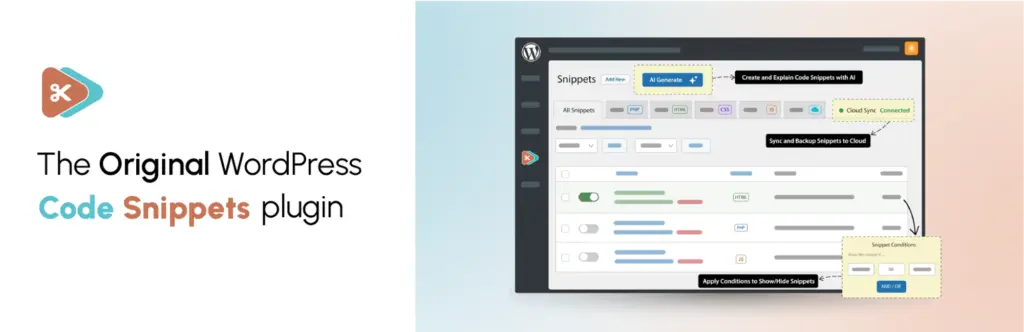
Code Snippets allows you to safely add and manage small PHP snippets directly from the WordPress admin panel, without editing the theme’s functions.php file.
This plugin is especially useful when you want to apply minor customizations to Init Press using hooks or filters, while ensuring your changes remain intact after theme updates.
Alternative options
- WPCode
- Advanced Scripts
3. Modern Image Formats
Modern Image Formats automatically converts uploaded images to modern formats such as WebP or AVIF. These formats significantly reduce file size while maintaining excellent visual quality.
For content-heavy websites that rely on featured images and thumbnails, this plugin helps improve page load times and Core Web Vitals scores.
4. Prismatic (Optional)

Prismatic is a modern syntax-highlighting plugin suitable for technical blogs, documentation sites, and tutorials that include code examples.
It supports multiple programming languages and integrates cleanly into the frontend without adding unnecessary overhead when used alongside Init Press.
Alternative options
- Syntax Highlighting Code Block
- Highlight.js (manual integration)
5. Solid Security Basic (Optional)
Solid Security Basic helps strengthen WordPress security by adding features such as login attempt limits, file change detection, and basic brute-force protection.
It is a good choice for content websites that need a simple security layer without complex configuration.
Alternative options
- Wordfence Security
- Shield Security
6. The Paste (Optional)

The Paste allows you to paste files and image data directly into WordPress using simple copy-and-paste actions, sending content straight to the Media Library or editor without manual uploads. It works with common sources such as the operating system file manager, screenshots, Google Docs, and popular design tools.
This plugin is especially useful for blogs and content-driven websites that work heavily with images or have multiple authors, helping streamline editorial workflows, reduce unnecessary steps, and make media management more efficient.
7. The SEO Framework
The SEO Framework is one of the most lightweight and efficient SEO plugins available for WordPress. It automatically generates SEO titles, meta descriptions, Open Graph tags, and basic schema markup.
Unlike many feature-heavy SEO plugins, The SEO Framework avoids ads and unnecessary bloat, making it a great match for performance-focused themes like Init Press.
Alternative options
- Rank Math
- SEOPress
- Yoast SEO
8. W3 Total Cache
W3 Total Cache is a powerful free caching plugin that supports page caching, browser caching, and CSS/JS optimization.
When properly configured, it can significantly improve page load times for Init Press. After enabling minification or file merging, be sure to thoroughly test the frontend to avoid layout or JavaScript issues.
Alternative options
- LiteSpeed Cache (for LiteSpeed/OpenLiteSpeed servers)
- Cache Enabler
- Autoptimize
- FlyingPress (paid)
Conclusion
Init Press provides a solid foundation for blogs and content-driven websites, but pairing it with the right plugins can greatly enhance performance, security, and user experience.
Only install plugins that are truly necessary for your use case, and avoid excessive plugin usage to keep your WordPress site fast, stable, and easy to maintain over the long term.










Comments