- 1. What Is ABSPATH?
- 2. What Does if ( ! defined(‘ABSPATH’) ) exit; Do?
- 3. Why Is It Important?
- 3.1. Blocks Direct Access to Files
- 3.2. Prevents PHP Errors When Files Are Loaded Out of Context
- 3.3. It’s a WordPress Best Practice
- 4. Should It Be in Every File?
- 5. Alternative Ways to Write the Same Check
- Option 1: The Classic Style
- Option 2: Short-Circuit Style (Clean and Popular)
- Option 3: Using die Instead of exit
- Option 4: With a Message
- Option 5: One-Liner, WordPress-Style
- 6. Is It a Silver Bullet for Security?
- 7. Final Verdict: Is It Necessary?
1. What Is ABSPATH?
ABSPATH is a constant defined by WordPress in wp-config.php. It points to the absolute path of the WordPress installation directory on the server.
In plain English: if WordPress is loaded properly, ABSPATH always exists. If someone accesses a PHP file inside a theme or plugin directly via a URL (for example: /wp-content/plugins/xyz/file.php), WordPress may not be bootstrapped yet, and ABSPATH might not exist at all.
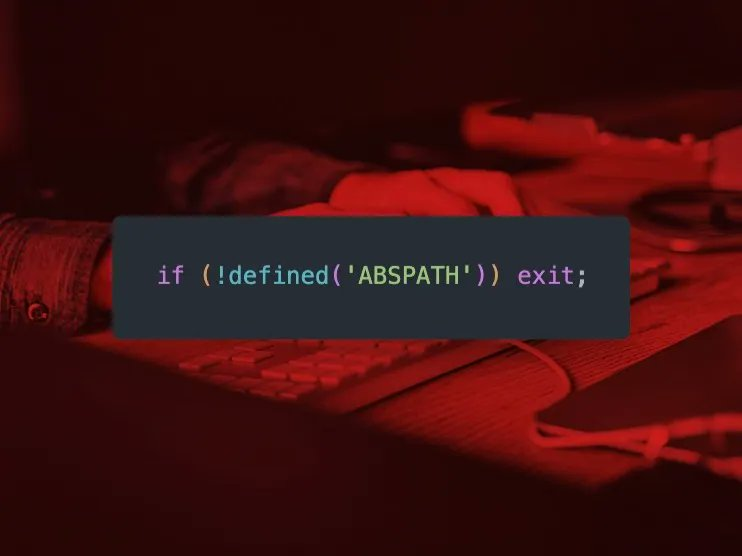
2. What Does if ( ! defined(‘ABSPATH’) ) exit; Do?
if ( ! defined('ABSPATH') ) exit;This line does exactly two things:
- Checks whether WordPress has been loaded (via the presence of
ABSPATH). - If not, it immediately stops script execution (
exit;) and prevents any further logic from running.
Translation: “If this file isn’t being loaded through WordPress, kill it now.”
3. Why Is It Important?
3.1. Blocks Direct Access to Files
Many theme and plugin files contain:
- Business logic
- Database queries
- Internal helper functions
- Custom API endpoints
Without an ABSPATH check, anyone can hit those files directly via a URL. Best case: nothing happens. Worst case:
- Logic vulnerabilities get triggered
- Unexpected behavior occurs
- Data leaks
- Your site breaks in weird, embarrassing ways
This line is not a fortress, but it is a basic door lock. Removing it means leaving the door wide open.
3.2. Prevents PHP Errors When Files Are Loaded Out of Context
Most theme/plugin files assume that WordPress is already loaded and that functions like add_action(), get_option(), and wp_enqueue_script() exist.
If someone accesses those files directly, PHP will happily throw warnings or fatal errors all over your logs. The ABSPATH check exits early, cleanly, and quietly.
3.3. It’s a WordPress Best Practice
This isn’t optional “nice to have” fluff. It’s a long-standing best practice used in WordPress core, official plugins, and production-grade themes.
Open any respectable plugin on WordPress.org and you will see this line at the top of its files.
4. Should It Be in Every File?
Short answer: Yes. No debate.
At a minimum, every PHP file in:
- The main theme
- The child theme
- Plugins
- Include files
- Template parts
should start with an ABSPATH check.
Why?
- You don’t know which file might be accessed directly later.
- You don’t know which file might become an endpoint after a refactor.
- You don’t know which file might end up containing sensitive logic.
Add it now and never think about it again.
5. Alternative Ways to Write the Same Check
All of the following do exactly the same thing: check for ABSPATH and exit if WordPress isn’t loaded.
Option 1: The Classic Style
if ( ! defined('ABSPATH') ) exit;Option 2: Short-Circuit Style (Clean and Popular)
defined( 'ABSPATH' ) || exit;Option 3: Using die Instead of exit
if ( ! defined('ABSPATH') ) {
    die;
}
Option 4: With a Message
if ( ! defined('ABSPATH') ) {
    exit('No direct script access allowed.');
}
Option 5: One-Liner, WordPress-Style
defined( 'ABSPATH' ) or die;Different syntax, same intent. Pick one style and use it consistently across your codebase.
6. Is It a Silver Bullet for Security?
No. Don’t kid yourself.
This line is:
- A basic defensive layer
- A sanity check
- A mandatory best practice
It does not replace:
- Nonces
- Capability checks
- Input sanitization and validation
- Proper access control
But removing it is like cutting your seatbelt because “the car still drives fine.”
7. Final Verdict: Is It Necessary?
Yes. Absolutely. Mandatory.
The line:
if ( ! defined('ABSPATH') ) exit;or any equivalent version such as:
defined( 'ABSPATH' ) || die;belongs at the top of every PHP file in your WordPress themes and plugins.
It:
- Blocks direct file access
- Reduces security risks
- Prevents dumb PHP errors
- Follows WordPress best practices
Cost: one line of code.
Benefit: fewer headaches, fewer vulnerabilities, better sleep.
Blunt conclusion: if your theme or plugin files don’t start with this check, you are accumulating technical debt from day one. Add it. Don’t be lazy.









Comments