Getting Started Guide

Get Started with Init HTML

From renting a server, deploying the LEMP Stack, installing a theme to activating plugins and exploring tools — everything you need to build a modern WordPress ecosystem in just a few steps.

1

Rent a Server

Choose a provider that fits your needs and budget

Vultr

Vultr

Global Cloud VPS, deployed in 60 seconds. Ideal for international projects requiring multi-region IPs.

  • Standard NVMe SSD
  • 32+ global datacenters
  • Per-second billing, no long-term commitment

Sign up for Vultr
Azdigi

Azdigi

High-quality Hosting & VPS in Vietnam. Vietnamese support, servers located in VN.

  • Vietnam servers, low latency
  • 24/7 Vietnamese support
  • Competitive pricing for the VN market
Sign up for Azdigi
Veesp

Veesp

European VPS & dedicated servers with NVMe storage, unlimited traffic, and KVM virtualization.

  • NVMe SSD storage with 1Gbps unlimited bandwidth
  • KVM virtualization with dedicated resources
  • Tier II EU datacenters with 99.9% uptime
Sign up for Veesp

Tip: Choose Vultr if you need a flexible international server. Choose Azdigi or Veesp if your target audience is in Vietnam and you need local support.

2

Deploy InitOps

One single command — full LEMP Stack + production-ready WordPress

Install Command

SSH into your server as root, then run:

curl -sSL https://inithtml.com/initops/install.sh | bash

After installation, type initops to open the management menu.

InitOps automatically installs:

  • Nginx (anti-congestion optimized)
  • MariaDB (auto-hardened)
  • PHP 8.3 / 8.4 / 8.5 FPM
  • Redis (Unix Socket)
  • Fail2Ban + Iptables
  • Certbot (auto SSL)
  • Latest WordPress Core
  • System Cron (replaces WP-Cron)

Key Features v1.9.0

  • 6 Optimization Profiles — Auto-detects CPU/RAM, applies tuning for Nginx, PHP-FPM, MariaDB, Redis
  • PHP Version Manager — Switch between 8.3/8.4/8.5 with zero downtime, instant rollback
  • Multi-Site — Multiple independent WordPress sites on one VPS, each with its own DB & Redis
  • Deep-layer Security — Firewall, Fail2Ban, block PHP uploads, hide wp-config
  • Discord Monitoring — Real-time alerts for Disk/RAM/CPU/MySQL via Webhook
  • Cloudflare DNS-01 SSL — Auto-renewal without opening port 80
View detailed InitOps guide
3

Choose a Theme

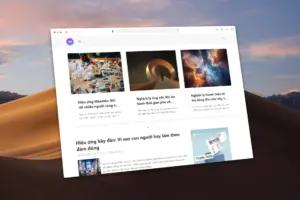
Init Themes — Clean, high-performance, easy to extend

Init Manga
AI-Powered v2.8.0

Init Manga

A specialized theme for manga, light novel, and webtoon websites. Open architecture, integrated with Init Plugin Suite, app-like smooth reading experience.

Learn more
Init Press
Content-first v1.1.9

Init Press

A minimalist theme for blogs, content sites, and news. Prioritizes reading experience, SEO-standard HTML structure, stable integration with core plugins.

Learn more
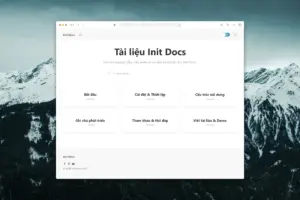
Init Docs
Documentation v1.0.1

Init Docs

A minimalist theme for technical documentation, knowledge bases, and internal wikis. Prioritizes clarity, coherent content structure, and quick lookup.

Learn more
4

Activate Init Plugin Suite

A minimalist — modern — clean plugin suite for WordPress

Init Live Search

v1.9.1

Fast, lightweight, easy-to-use live search with performance optimization.

Init User Engine

v1.5.2

Turn WordPress into an interactive user system with gamification, coins, levels, and check-ins.

Init Embed Posts

v1.6

Embed WordPress posts into any website. No iframe, no oEmbed.

Init View Count

v1.19.3

Modern, smart, and scalable post view tracking.

Init Ad Engine

v1.4

Insert ads into any position on your website accurately and easily.

Init FX Engine

v1.6

Vivid effects: fireworks, falling emojis, snow, loading screens.

5

Explore Online Tools

Games, utilities, and professional tools — running right in your browser

Toolbox

Quote Studio, Gradient Studio, Password Generator, Markdown Converter, Regex Tester...

Explore

Studio

Upscaler, Compressor, Background Eraser, Magick Studio, GIF Tools, Vectorizer...

Explore

Business

Coffee Pricing, Product Pricing, Menu Profitability, Invoice PDF Builder, ROI & CAC...

Explore

Self-Hosted

InitOps, Init Uploader, Image Processor, WordPress Log, InitTop — full control.

Explore

Tip: Press Ctrl + \ or swipe left on mobile to open the Toolbox quickly from any page.

Follow the Init HTML Blog

In-depth guides, experience sharing, development logs, and the latest version updates from the ecosystem.

Web-Based Tools

Press Ctrl + \ on desktop, or swipe left anywhere on mobile.

Login