Init Docs
A specialized WordPress theme for technical documentation, knowledge bases, and wikis – clean design, high performance, and completely content-focused.
Why Choose Init Docs?
Not a blog or magazine – Init Docs is built specifically for documentation, technical guides, and knowledge bases with distraction-free interface, clear structure, and fast loading speed.
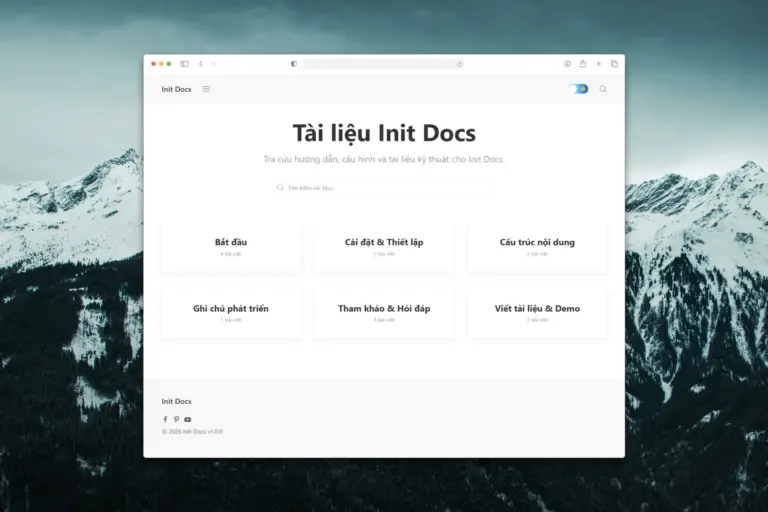
Specialized Design for Technical Documentation
Init Docs is built on UIkit with layouts optimized for technical content, knowledge bases, and wikis. Clean interface, no comment clutter, no auto-generated TOC – just focused on readable and searchable content.
View Live Demo DetailsKey Features
Init Docs fully complies with WordPress standards – clean codebase, easy to read and customize for all documentation needs.
Documentation-First Design
Layouts optimized for technical articles and long-form documentation. Clear typography, easy-to-scan heading hierarchy, breadcrumb navigation, and zero distracting elements.
Content Structure & Navigation
Category-based documentation layout, related articles, unified archive templates, search-focused homepage, and UIkit responsive grid system.
Demo System for Technical Content
Integrated Demo system with custom HTML, CSS, JavaScript. Dedicated metabox for admins and [demo] shortcode to embed interactive examples – ideal for code tutorials.
Smart Automatic Image ALT
Automatically generates alt text from figure caption, nearest heading, post title, attachment title, or filename. Accessibility-first and SEO-friendly by default.
Smart Dark Mode
Auto-detects system preference, manual toggle with persistent state, no flash of unstyled content (FOUC), and fully compatible with UIkit dark theme.
Full Internationalization (i18n)
Fully translation-ready with WordPress i18n, compatible with .po/.mo, WPML, Polylang. Built-in Vietnamese translation updater and no hardcoded locale.
Required & Recommended Plugins
Init Docs works best with essential plugins to ensure a complete and consistent documentation experience. Setup Wizard handles installation automatically.

Init Live Search
Fast search with UIkit-styled live search, optimized for knowledge bases and technical docs.

Init View Count
Track views and popularity metrics to identify the most accessed documentation.

Init Embed Posts
Embed posts within documentation with responsive layouts and multiple display styles.

Prismatic
Syntax highlighting for code blocks – essential for technical documentation and tutorials.

Classic Editor
Recommended for documentation workflows, ensuring stable editing and clean HTML content.
Built-in Setup Wizard
Init Docs includes a built-in Setup Wizard to help you get started quickly: install & activate required plugins, apply recommended WordPress settings for documentation sites, and automatically update Vietnamese translations.
- Automatically install required plugins
- Apply recommended WordPress settings
- Auto-update Vietnamese translations
- Optional but recommended for initial setup
Who Should Use Init Docs?
- Developers writing technical documentation, API docs, code tutorials.
- Companies needing internal wikis, onboarding guides, technical handbooks.
- Product teams building knowledge bases and help centers.
- Technical writers needing a clean, standards-compliant, and maintainable theme.
Download Init Docs
WordPress theme specialized for documentation – clean, fast, and developer-friendly.
Download Init Docs for free